
How To Troubleshoot Common WiFi Lamp Holder Connection Issues
2026-01-14
Is your smart lighting suddenly unresponsive? A WiFi Lamp Holder is designed for seamless convenience, but occasional connection hiccups can occur. For users of the Aipulan Smart WiFi Lamp Holder, these issues are often quick to resolve with some systematic troubleshooting. This guide will help you restore your smart lighting’s connectivity efficiently, ensuring you regain control with minimal frustration.
Step-by-Step Troubleshooting Checklist
Begin with this logical sequence to diagnose and fix the problem:
-
Check Power and Hardware: Ensure the lamp is turned on at the switch and the bulb is functioning. A simple power cycle can work wonders—turn the lamp off for 30 seconds, then back on.
-
Verify Your Network: Your phone or tablet should be connected to the same 2.4GHz WiFi network as your Aipulan holder (most smart home devices do not support 5GHz bands). Restart your router by unplugging it for 30 seconds.
-
Re-examine the App: Force close and reopen the Aipulan app. Ensure the app is updated to its latest version from your device’s app store.
-
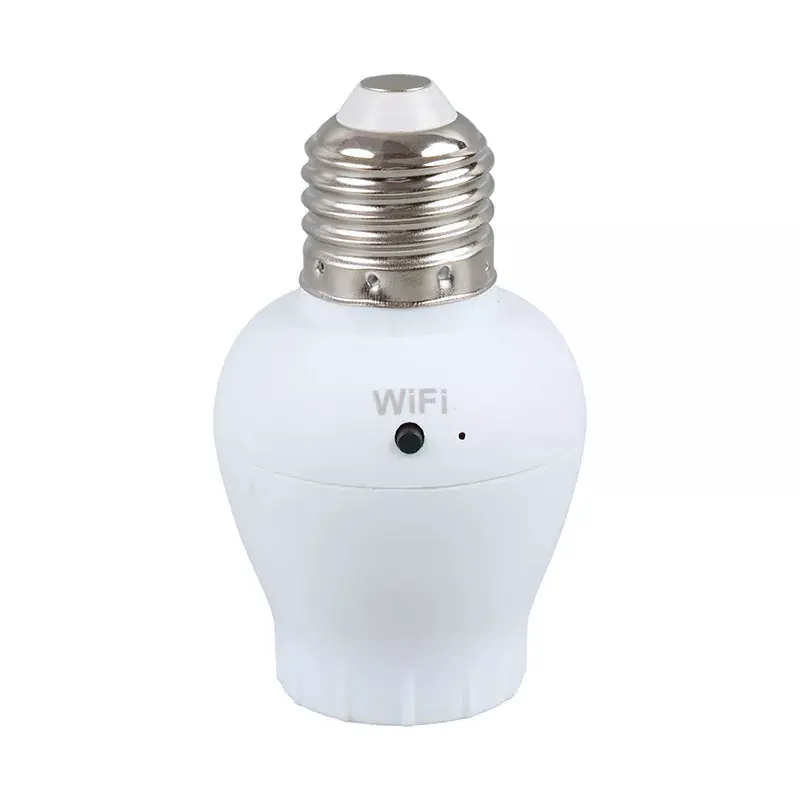
Reset the Device: If problems persist, reset your WiFi Lamp Holder. Hold the button on the unit for 5-10 seconds until the indicator light flashes rapidly, then re-add it in the app as a new device.
Key Factors Affecting Connection Stability
Understanding the root cause is key to a permanent solution. Refer to the table below for common culprits.
| Issue | Likely Cause | Recommended Action |
|---|---|---|
| Device Offline in App | Weak WiFi signal or network congestion. | Move the WiFi Lamp Holder or router closer, or reduce connected device load. |
| Failed Setup Process | Incorrect network band or server timeout. | Confirm you're on a 2.4GHz WiFi and ensure your router's firewall isn't blocking the app. |
| Intermittent Response | Signal interference from other electronics. | Place the holder away from large metal objects, microwaves, or dense walls. |
WiFi Lamp Holder FAQ
Q: My Aipulan WiFi Lamp Holder goes offline frequently. What can I do?
A: This is typically a signal strength issue. Consider adding a WiFi extender to improve coverage in the device's location, or ensure the holder is within a reasonable range of your router without physical obstructions.
Q: Can I connect the holder to a 5GHz WiFi network for a faster connection?
A: No, most smart home devices, including the Aipulan WiFi Lamp Holder, are designed specifically for the longer-range and better wall-penetration properties of 2.4GHz networks. Please connect it to your 2.4GHz band.
Q: After a router password change, how do I reconnect my lamp holder?
A: You will need to reset the holder and go through the setup process again in the Aipulan app. The device stores your old network credentials and cannot automatically update them.
By following this guide, you should be able to overcome the most common connectivity challenges with your WiFi Lamp Holder. Proper setup and a stable network environment are the foundations of a reliable smart lighting experience with Aipulan. For persistent technical issues or specific questions about your product, our dedicated support team is ready to assist. Contact us today through the help section on our official website for personalized troubleshooting.